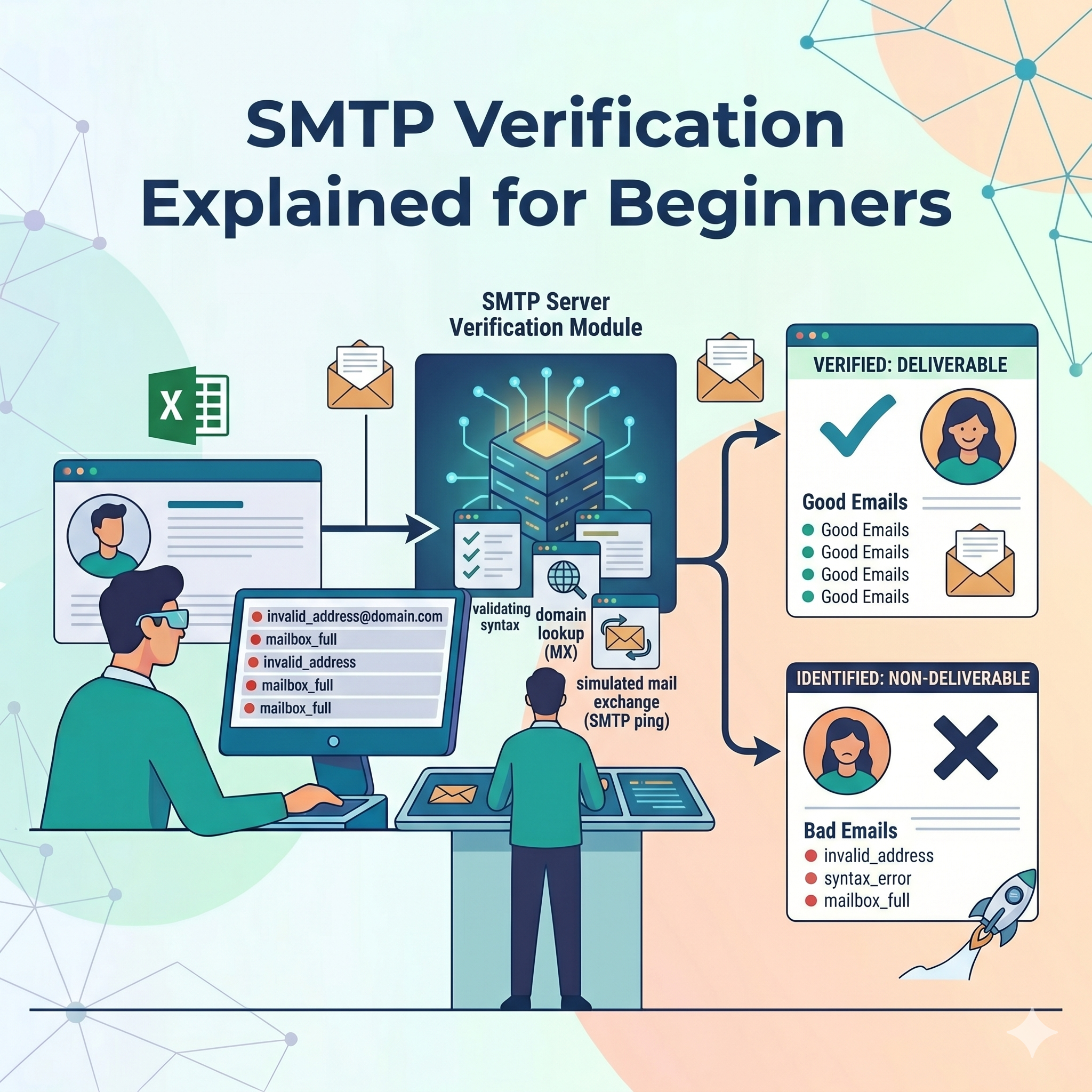
What is SMTP Verification?
SMTP Verification is a process used to check whether an email address actually exists and can receive emails.
SMTP stands for:
Simple Mail Transfer Protocol
It is the standard communication protocol used for sending emails across the internet.
During SMTP verification, an email verification system connects to the recipient’s mail server and checks if the mailbox is valid — without sending an actual email message.
This helps businesses:
- Reduce email bounce rates
- Improve sender reputation
- Maintain clean email lists
- Increase email deliverability
- Prevent spam complaints
Why SMTP Verification is Important
Sending emails to invalid addresses can harm your email marketing performance. Internet Service Providers (ISPs) monitor bounce rates closely.
Too many invalid emails can lead to:
- Poor inbox placement
- Spam folder delivery
- Domain reputation damage
- IP blacklisting
- Lower campaign ROI
SMTP verification helps prevent these issues before emails are sent.
How SMTP Verification Works
SMTP verification follows several technical steps to validate an email address.
Step 1: Syntax Check
The system first checks whether the email format is correct.
Example of a valid format:
- name@example.com
Invalid examples:
- nameexample.com
- @gmail.com
- test@
This step filters out basic typing mistakes.
Step 2: Domain Verification
Next, the system checks whether the domain exists.
For example:
- gmail.com
- yahoo.com
- company.org
If the domain does not exist, the email address becomes invalid immediately.
Step 3: MX Record Check
The verifier checks whether the domain has valid MX (Mail Exchange) records.
MX records tell the internet where emails should be delivered.
Without MX records:
- Emails cannot be received
- The address becomes undeliverable
Understanding MX Records
MX→Mail Exchange RecordsMX \rightarrow \text{Mail Exchange Records}MX→Mail Exchange Records
MX records are DNS entries that identify the mail servers responsible for receiving emails for a domain.
Example:
- gmail.com → Google mail servers
Step 4: SMTP Server Connection
The verification tool connects directly to the recipient’s SMTP mail server.
This connection checks whether the server is active and accepting email requests.
Step 5: Mailbox Verification
Finally, the server checks whether the specific mailbox exists.
Example:
- user@gmail.com → Exists
- fakeuser@gmail.com → Does not exist
If the server confirms the mailbox, the email is marked as valid.
Types of SMTP Verification Results
SMTP verification tools usually return different statuses.
Valid
The email address exists and can receive emails.
Invalid
The mailbox does not exist or cannot receive messages.
Risky
The address may exist but could cause deliverability issues.
Examples:
- Catch-all domains
- Temporary emails
- Role-based emails
Unknown
The mail server could not provide a clear response.
What are Catch-All Emails?
Some domains accept all incoming emails, even for non-existent users.
Example:
- anything@company.com
These are called:
Catch-All Domains
They make SMTP verification more difficult because the server accepts every address.
Common Challenges in SMTP Verification
Greylisting
Some servers temporarily reject verification requests to block spam bots.
Firewall Protection
Mail servers may block automated SMTP checks.
Catch-All Domains
These domains hide whether a mailbox truly exists.
Anti-Spam Systems
Some providers intentionally limit SMTP responses.